

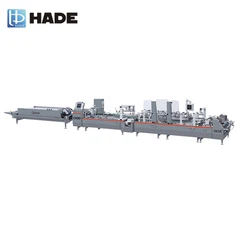

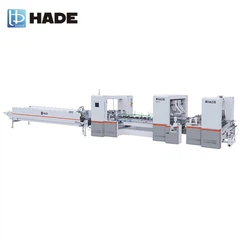
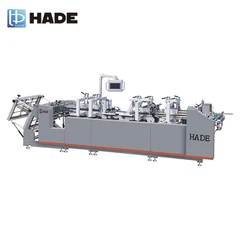
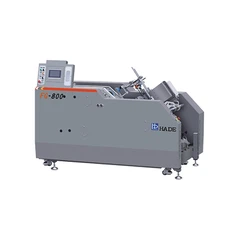
As a trusted supplier of Inkject and Turnover machines, I understand the importance of optimizing the ink injection speed for achieving the best results in your printing operations. In this blog post, I'll share some valuable insights on how to adjust the ink injection speed in an Inkject and Turnover machine, ensuring high - quality prints and efficient production.
Understanding the Basics of Ink Injection Speed
The ink injection speed in an Inkject and Turnover machine plays a crucial role in determining the quality of the printed output. If the speed is too slow, it can lead to incomplete ink coverage, resulting in faded or patchy prints. On the other hand, if the speed is too fast, it may cause ink splattering, over - saturation, and even damage to the printing materials.
Several factors can influence the optimal ink injection speed, including the type of ink being used, the nature of the printing substrate, and the desired print quality. For instance, different inks have different viscosities, and thicker inks may require a slower injection speed to ensure proper flow and distribution. Similarly, porous substrates may absorb ink more quickly, necessitating a faster injection speed to achieve the desired color intensity.
Assessing Your Printing Requirements
Before making any adjustments to the ink injection speed, it's essential to assess your specific printing requirements. Consider the following aspects:
- Printing Material: Different materials, such as paper, cardboard, or plastic, have varying absorption rates and surface characteristics. For example, glossy paper may require a different ink injection speed compared to matte paper due to its lower absorbency.
- Ink Type: The type of ink you're using, whether it's water - based, solvent - based, or UV - curable, can significantly impact the injection speed. Each ink type has its own set of properties that need to be taken into account.
- Print Quality: Determine the level of print quality you aim to achieve. If you're printing high - resolution images or detailed graphics, you may need to adjust the ink injection speed more precisely to ensure sharp and clear prints.
Step - by - Step Guide to Adjusting Ink Injection Speed
Now that you've assessed your printing requirements, here's a step - by - step guide to adjusting the ink injection speed in your Inkject and Turnover machine:
- Refer to the Machine Manual: Start by referring to the user manual of your Inkject and Turnover machine. The manual provides detailed instructions on how to access the ink injection speed settings and make adjustments. It may also include recommended speed ranges based on different printing conditions.
- Perform a Test Print: Before making any significant adjustments, perform a test print using your chosen printing material and ink. This will give you a baseline to evaluate the current ink injection speed and identify any areas that need improvement.
- Access the Speed Settings: Locate the control panel or interface of your machine where the ink injection speed settings are located. Depending on the model, this may be a digital display, a touch - screen interface, or a series of buttons.
- Make Incremental Adjustments: Begin by making small incremental adjustments to the ink injection speed. Increase or decrease the speed by a small percentage and perform another test print after each adjustment. This allows you to observe the effects of the changes on the print quality.
- Evaluate the Results: Carefully examine the test prints to evaluate the quality of the ink coverage, color intensity, and overall appearance. Look for any signs of under - or over - saturation, ink splattering, or uneven distribution.
- Fine - Tune the Settings: Based on your evaluation, continue to make fine - tuning adjustments to the ink injection speed until you achieve the desired print quality. It may take several iterations to find the optimal speed for your specific printing requirements.
Utilizing Advanced Features and Technologies
Many modern Inkject and Turnover machines come equipped with advanced features and technologies that can help you optimize the ink injection speed. These include:
- Automatic Speed Adjustment: Some machines are capable of automatically adjusting the ink injection speed based on the printing material, ink type, and other parameters. This feature can save you time and effort by ensuring consistent print quality without manual intervention.
- Ink Flow Sensors: Ink flow sensors can monitor the flow rate of the ink and provide real - time feedback to the machine's control system. This allows for more precise adjustments to the ink injection speed, ensuring accurate and uniform ink distribution.
- Print Quality Monitoring Systems: Advanced machines may also be equipped with print quality monitoring systems that can detect and correct any issues with the ink injection speed or other printing parameters. These systems can help you maintain high - quality prints throughout the production process.
Complementary Equipment for Enhanced Performance
In addition to adjusting the ink injection speed, you may also consider using complementary equipment to enhance the performance of your printing operations. For example, Surface Treatment Equipment can improve the adhesion of the ink to the printing material, resulting in better print quality. Similarly, a Vertical Feeder can ensure a consistent supply of printing material, reducing the risk of feeding errors and improving overall efficiency. A Grinder Used On Folder Gluer can also be useful for preparing the printing material and ensuring smooth ink application.


Regular Maintenance and Calibration
To ensure the long - term performance and accuracy of your Inkject and Turnover machine, it's important to perform regular maintenance and calibration. This includes cleaning the ink nozzles, checking the ink levels, and calibrating the machine's sensors and controls. Regular maintenance can prevent clogs, leaks, and other issues that may affect the ink injection speed and print quality.
Conclusion
Adjusting the ink injection speed in an Inkject and Turnover machine is a critical step in achieving high - quality prints and optimizing your printing operations. By understanding your printing requirements, following a systematic approach to adjustment, and utilizing advanced features and complementary equipment, you can ensure consistent and excellent print results.
If you're looking to enhance your printing capabilities or have any questions about our Inkject and Turnover machines, we invite you to reach out to us for a detailed discussion. Our team of experts is ready to assist you in finding the best solutions for your specific needs. Whether you're a small - scale printer or a large - scale production facility, we can provide you with the support and guidance you need to take your printing to the next level.
References
- Manufacturer's user manual for Inkject and Turnover machines
- Industry research on ink injection technology and printing optimization
- Technical papers on printing materials and ink properties