

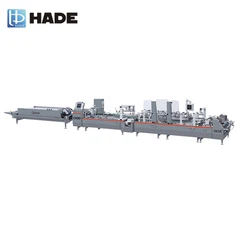

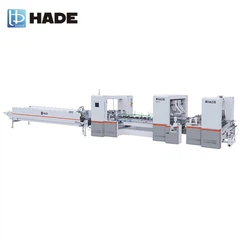
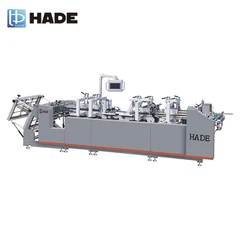
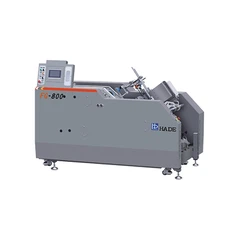
A grinder plays a crucial role in the operation of a folder gluer, impacting the overall quality of the folder production process. As a seasoned supplier of grinders used on folder gluers, I've witnessed firsthand how proper utilization of these tools can significantly enhance production efficiency and output quality. In this blog post, I'll share some expert tips and best practices on how to use a grinder on a folder gluer for high - quality folder production.
1. Understanding the Function of the Grinder in a Folder Gluer
Before diving into the usage, it's essential to understand why a grinder is necessary in a folder gluer. The main function of the grinder is to ensure precise cutting and preparation of materials, especially the edges of the papers or boards used in folder production. This promotes better glue adhesion, reduces jams, and enhances the overall aesthetic appeal of the finished folders.
The grinder works by removing rough edges, burrs, and excess material, creating a smooth and even surface. A well - ground edge allows the glue to spread more evenly, resulting in stronger bonds between different parts of the folder.
2. Pre - operation Checks
Inspection of the Grinder
- Visual Inspection: Before starting the grinder, conduct a thorough visual inspection. Check for any visible signs of wear and tear, such as chipped blades or loose parts. Ensure that the grinder is clean and free from debris. Any foreign particles may interfere with the grinding process and cause damage to both the grinder and the materials being processed.
- Blade Sharpness: Sharp blades are essential for efficient grinding. Dull blades can lead to uneven cuts and may cause the materials to tear instead of being cleanly cut. Use appropriate tools to check the sharpness of the blades and replace them if necessary.
Setting the Grinder Parameters
- Depth of Cut: Set the depth of cut according to the thickness of the materials you're working with. For thinner materials, a shallower depth of cut is required to prevent over - grinding and damage. For thicker boards, a deeper cut may be needed to ensure a clean edge.
- Feed Rate: The feed rate determines how quickly the material passes through the grinder. A too - fast feed rate may result in uneven grinding, while a too - slow feed rate can reduce production efficiency. Adjust the feed rate based on the material type and the grinder's capabilities.
3. Choosing the Right Grinding Technique
Dry Grinding vs. Wet Grinding
- Dry Grinding: This is suitable for materials that are less likely to generate excessive heat, such as some types of cardboard and thin papers. Dry grinding is a simple and cost - effective method, but it may generate more dust. Adequate dust collection systems should be in place to maintain a clean working environment.
- Wet Grinding: Wet grinding involves using a coolant or lubricant to reduce heat and friction during the grinding process. This technique is often used for harder materials, like thick plastic - coated boards. The coolant also helps to flush away debris, ensuring a cleaner cut.
Single - pass vs. Multi - pass Grinding
- Single - pass Grinding: This method is used when the material requires minimal grinding or when a quick result is needed. It involves passing the material through the grinder once. However, single - pass grinding may not be sufficient for achieving a high - quality finish, especially for materials with complex edges.
- Multi - pass Grinding: In this approach, the material is passed through the grinder multiple times with adjusted parameters for each pass. This allows for more precise control over the grinding process and can result in a smoother and more accurate edge.
4. Operating the Grinder
Loading the Material
- Proper Alignment: Align the material correctly before feeding it into the grinder. Misaligned materials can lead to uneven cuts and may damage the grinder. Use guides and alignment tools to ensure that the material is straight and centered as it enters the grinder.
- Secure Holding: Make sure the material is held securely during the grinding process. Loose materials can shift during grinding, causing inconsistent results. Depending on the type of grinder and the material, you may use clamping devices or vacuum systems to hold the material in place.
Monitoring the Grinding Process
- Observation: Keep a close eye on the grinding process. Watch for any signs of abnormal noise, vibration, or changes in the appearance of the ground edge. These may indicate problems with the grinder or the material, such as a blade malfunction or a bad batch of materials.
- Adjustment: If you notice any issues during the process, make the necessary adjustments immediately. This may include changing the grinder settings, such as the depth of cut or feed rate, or addressing any mechanical problems.
5. Safety Precautions
Personal Protective Equipment (PPE)
- Safety Goggles: Protect your eyes from flying debris and dust generated during the grinding process. Safety goggles with side shields provide the best protection.
- Gloves: Wear appropriate gloves to protect your hands from sharp edges and potential cuts. Heat - resistant gloves may be required if you're using a wet - grinding system with a coolant.
- Ear Protection: Grinding machines can be noisy. Use earplugs or earmuffs to reduce the risk of hearing damage.
Machine Safety
- Proper Grounding: Ensure that the grinder is properly grounded to prevent electric shock. Check the grounding wire regularly for any signs of damage.
- Emergency Stop Button: Familiarize yourself with the location of the emergency stop button and use it immediately if any dangerous situation arises.
6. Maintenance of the Grinder
Regular Cleaning
- After Each Use: Clean the grinder after each use to remove dust, debris, and glue residue. Use a soft brush or compressed air to clean hard - to - reach areas.
- Periodic Disassembly: Periodically disassemble the grinder for a more thorough cleaning. This allows you to clean internal parts and remove any built - up debris that may affect the performance of the machine.
Lubrication
- Follow Manufacturer's Instructions: Lubricate the moving parts of the grinder according to the manufacturer's recommendations. Proper lubrication reduces friction, extends the lifespan of the grinder, and ensures smooth operation.
Calibration
- Regular Checks: Regularly calibrate the grinder to maintain its accuracy. Calibration helps to ensure that the depth of cut and other parameters are set correctly, resulting in consistent high - quality grinding.
7. Related Corollary Equipment
To further enhance the folder production process, there are several corollary equipment options you may consider:


- Automatic Gluing Pump: An automatic gluing pump can provide a more precise and consistent flow of glue, improving the adhesion quality of the folders.
- Inkject and Turnovermachine: This equipment can add printing and turnover functions, allowing for more complex folder designs and increased production efficiency.
- Pneumatic Conveying Equipment: Pneumatic conveying equipment can automate the material handling process, reducing manual labor and improving production speed.
Contact for Purchase and Consultation
If you're looking to purchase a grinder for your folder gluer or have questions about optimizing your folder production process, I'm here to assist you. Our team of experts can provide personalized advice and solutions based on your specific needs. Don't hesitate to reach out to discuss your requirements and explore how our products can benefit your business.
References
- Industry standards for folder gluer operation.
- Manufacturer's manuals for grinders used on folder gluers.
- Technical papers on high - quality paper processing and folder production.