

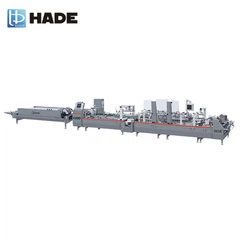

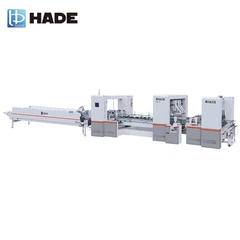

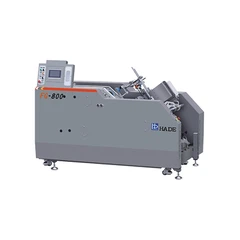
As a seasoned supplier of High Speed Inspection Machines, I've encountered a wide array of common problems that users often face. In this blog, I'll share some practical troubleshooting tips to help you keep your machine running smoothly.
1. Machine Not Starting
One of the most frustrating issues is when the High Speed Inspection Machine fails to start. This could be due to several reasons.
Power Supply Issues
First, check the power cord. Ensure it is properly plugged into a functioning power outlet. Sometimes, a loose connection can prevent the machine from receiving power. If the power cord seems fine, examine the circuit breaker or fuse box. A tripped breaker or blown fuse can cut off the power supply to the machine. Reset the breaker or replace the fuse if necessary.
Control Panel Malfunctions
The control panel is the brain of the machine. If there are error messages on the display, take note of them. These messages can provide valuable clues about the problem. In some cases, a simple software glitch can cause the control panel to malfunction. Try restarting the machine by turning it off and then on again. This can sometimes clear minor software issues.
If the problem persists, it might be a hardware issue with the control panel. In such cases, it's advisable to contact our technical support team. We have a team of experts who can diagnose and repair control panel problems effectively.
2. Poor Image Quality
High Speed Inspection Machines rely on high - quality images to detect defects accurately. If the image quality is poor, it can lead to inaccurate inspections.
Camera Lens Issues
The camera lens is a critical component for image capture. Over time, dust, dirt, or fingerprints can accumulate on the lens, affecting the image quality. Use a clean, lint - free cloth to gently wipe the lens. Avoid using abrasive materials that could scratch the lens.
If the lens is severely dirty or damaged, it may need to be replaced. Our company offers a range of high - quality replacement lenses for our High Speed Inspection Machines. You can find more information about our camera systems on our Automatic Folder Gluer Machine with Camera System page.
Lighting Problems
Proper lighting is essential for clear image capture. Insufficient or uneven lighting can result in poor image contrast and clarity. Check the lighting system of the machine. Make sure all the light sources are working properly. If a light bulb has burned out, replace it with a compatible bulb.
Adjust the lighting intensity and angle if necessary. Some High Speed Inspection Machines allow you to adjust the lighting settings through the control panel. Experiment with different settings to find the optimal lighting conditions for your inspection needs.
3. Slow Inspection Speed
If the machine is not operating at its expected high speed, it can significantly impact productivity.
Software Optimization
The software running on the High Speed Inspection Machine plays a crucial role in determining its speed. Outdated software may not be optimized for the latest hardware or inspection requirements. Check if there are any software updates available for your machine. Our company regularly releases software updates to improve performance, add new features, and fix bugs.
Updating the software can sometimes resolve speed issues. Follow the instructions provided in the software update package carefully. If you encounter any difficulties during the update process, our technical support team is available to assist you.
Hardware Limitations
In some cases, slow inspection speed can be due to hardware limitations. For example, if the machine's processor is overloaded or the memory is insufficient, it can slow down the inspection process. Check the system resources of the machine. If possible, close any unnecessary programs or processes running on the machine to free up system resources.
If the hardware limitations are severe, you may need to consider upgrading the machine's hardware components. Our company offers hardware upgrade services for our High Speed Inspection Machines. Contact our sales team to discuss your hardware upgrade options.
4. False Defect Alerts
False defect alerts can be a major headache for users. They waste time and resources by triggering unnecessary inspections and rework.


Threshold Settings
The inspection software uses certain thresholds to determine whether a defect exists. If these thresholds are set too low, it can result in false defect alerts. Review the threshold settings in the inspection software. Adjust the thresholds based on the actual defect tolerance of your products.
For example, if you are inspecting products with a certain level of acceptable surface roughness, increase the roughness threshold in the software to reduce false alerts. However, be careful not to set the thresholds too high, as this can lead to real defects being missed.
Background Noise Interference
Background noise can also cause false defect alerts. The machine may mistake background noise for defects. Check the inspection environment for sources of noise, such as vibrations, electromagnetic interference, or reflections.
Isolate the machine from sources of vibrations. Use anti - vibration pads if necessary. Shield the machine from electromagnetic interference by using proper grounding and shielding techniques. If there are reflections in the inspection area, adjust the lighting or the position of the object being inspected to reduce reflections.
5. Communication Errors
High Speed Inspection Machines often need to communicate with other devices, such as printers, labelers, or conveyor systems. Communication errors can disrupt the inspection process.
Network Connection Issues
If the machine is connected to a network, check the network connection. Ensure that the Ethernet cable is properly plugged in and that the network settings are configured correctly. Try restarting the network router and the machine to see if it resolves the communication issue.
If the machine uses wireless communication, check the Wi - Fi signal strength. Move the machine closer to the Wi - Fi access point if the signal is weak. You may also need to update the wireless network driver on the machine.
Protocol Compatibility
Make sure that the communication protocols used by the High Speed Inspection Machine and the other devices are compatible. Different devices may use different communication protocols, such as Modbus, Ethernet/IP, or Profibus. Check the device manuals to ensure that the protocols are configured correctly.
If there are protocol compatibility issues, our technical support team can help you configure the devices to communicate effectively. We have experience in integrating our High Speed Inspection Machines with a wide range of other industrial devices.
In conclusion, troubleshooting common problems in a High Speed Inspection Machine requires a systematic approach. By following the tips outlined in this blog, you can often resolve many of the issues on your own. However, if you encounter complex problems or if you're unsure about how to proceed, don't hesitate to contact our technical support team.
We are committed to providing our customers with high - quality products and excellent after - sales service. Our team of experts is always ready to assist you with any problems you may encounter with our High Speed Inspection Machines. Whether you need help with installation, maintenance, or troubleshooting, we are here for you.
If you're interested in purchasing a new High Speed Inspection Machine or need to upgrade your existing one, we invite you to contact us for a detailed discussion. Our sales team can provide you with customized solutions based on your specific requirements. You can also explore our other inspection and gluing machines on our Automatic Inspection and Folder Gluer Machine and Single Sheet Inspection Machine pages.
Let's work together to ensure that your inspection processes are efficient, accurate, and reliable.
References
- Manufacturer's Manuals for High Speed Inspection Machines
- Industry Standards for Machine Vision and Inspection
- Technical Documentation on Software and Hardware for Inspection Machines