


Hey there! As a supplier of Corrugated Box Folder Gluers, I've seen my fair share of paper jams in the feeding section. It's a common headache for many users, but don't worry—I'm here to walk you through how to troubleshoot these issues.
Understanding the Feeding Section
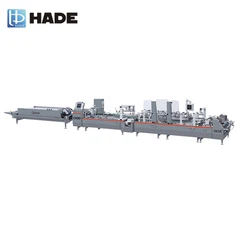
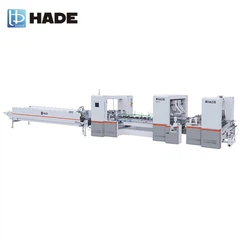
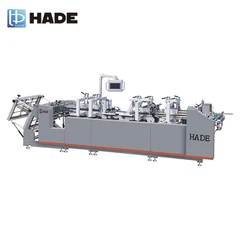
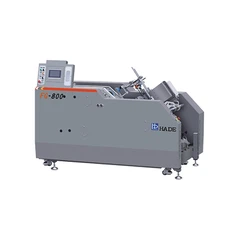
First off, let's talk a bit about the feeding section of a corrugated box folder gluer. This is where the corrugated sheets enter the machine, and it's crucial for a smooth operation. The feeding mechanism usually consists of rollers, belts, and guides that work together to move the sheets through the machine at the right speed and alignment.
Common Causes of Paper Jams
There are several reasons why paper jams can occur in the feeding section. Here are some of the most common ones:
1. Incorrect Paper Size or Thickness
If you're using paper that's too large, too small, or too thick for the machine, it can easily get stuck. Each corrugated box folder gluer has its own specifications for paper size and thickness, so make sure you're using the right materials. For example, if you're trying to feed a thick double-wall corrugated sheet into a machine that's designed for single-wall sheets, you're likely to run into problems.
2. Dirty or Worn-out Rollers and Belts
Over time, the rollers and belts in the feeding section can get dirty or worn out. Dirt and debris can build up on the surfaces, causing the paper to slip or get caught. Worn-out rollers may not provide enough traction to move the paper smoothly, leading to jams. Regular cleaning and maintenance of these components are essential to prevent this issue.
3. Misaligned Guides
The guides in the feeding section are there to keep the paper in the right position as it moves through the machine. If they're misaligned, the paper can veer off course and get stuck. This can happen due to normal wear and tear, or if the machine has been bumped or moved.
4. Foreign Objects
Sometimes, foreign objects like small pieces of cardboard, staples, or even tools can find their way into the feeding section. These objects can block the path of the paper and cause jams. It's important to keep the area around the machine clean and free of any potential hazards.
Troubleshooting Steps
Now that we know what causes paper jams, let's look at how to fix them. Here are some steps you can take to troubleshoot paper jams in the feeding section of your corrugated box folder gluer:
Step 1: Turn off the Machine
Before you start trying to remove the jammed paper, make sure the machine is turned off and unplugged. This will prevent any accidental injuries and ensure your safety.
Step 2: Locate the Jam
Carefully open the access panels in the feeding section to find where the paper is stuck. Look for any signs of paper crumpled or caught between the rollers, belts, or guides. Sometimes, the jam may be visible from the outside, but in other cases, you may need to look inside the machine.
Step 3: Remove the Jammed Paper
Once you've located the jam, gently pull the paper out. Be careful not to tear the paper, as this can make it even more difficult to remove. If the paper is stuck tightly, you may need to use a pair of tweezers or a small tool to carefully loosen it. Avoid using excessive force, as this can damage the machine.
Step 4: Check the Rollers and Belts
After removing the jammed paper, inspect the rollers and belts for any dirt, debris, or signs of wear. If they're dirty, use a clean, dry cloth to wipe them down. If they're worn out, you may need to replace them. You can find replacement parts for your corrugated box folder gluer from the manufacturer or a reputable supplier.
Step 5: Align the Guides
Check the alignment of the guides in the feeding section. Make sure they're straight and properly positioned to keep the paper in the right path. If they're misaligned, you can usually adjust them using the adjustment screws or knobs provided on the machine. Refer to the user manual for specific instructions on how to do this.
Step 6: Remove Foreign Objects
Look for any foreign objects that may be in the feeding section and remove them. This can help prevent future jams. You can use a vacuum cleaner or a small brush to clean out any debris from hard-to-reach areas.
Step 7: Test the Machine
Once you've completed all the above steps, turn the machine back on and run a test sheet through the feeding section. Make sure the paper moves smoothly without any jams. If the problem persists, you may need to contact a professional technician for further assistance.
Preventive Measures
To avoid paper jams in the future, here are some preventive measures you can take:
1. Use the Right Paper
Always use paper that meets the specifications of your corrugated box folder gluer. Check the user manual for the recommended paper size, thickness, and quality. Using the right paper will reduce the risk of jams and ensure a smooth operation.


2. Keep the Machine Clean
Regularly clean the feeding section of the machine to remove any dirt, debris, or dust. This will help keep the rollers, belts, and guides in good condition and prevent paper from getting stuck. You can use a clean, dry cloth or a mild cleaning solution to clean the surfaces.
3. Perform Regular Maintenance
Follow the manufacturer's recommended maintenance schedule for your corrugated box folder gluer. This may include lubricating the moving parts, checking the tension of the belts, and inspecting the machine for any signs of wear or damage. Regular maintenance will help keep the machine running smoothly and prevent costly breakdowns.
4. Train Your Operators
Make sure your operators are properly trained on how to use the corrugated box folder gluer. They should know how to load the paper correctly, how to troubleshoot common problems, and how to perform basic maintenance tasks. Proper training will reduce the risk of operator error and help prevent paper jams.
Conclusion
Paper jams in the feeding section of a corrugated box folder gluer can be frustrating, but with the right troubleshooting steps and preventive measures, you can keep them to a minimum. By understanding the common causes of jams, following the troubleshooting steps outlined above, and taking preventive measures, you can ensure a smooth and efficient operation of your machine.
If you're in the market for a new corrugated box folder gluer or need replacement parts for your existing machine, we're here to help. We offer a wide range of Automatic Carton Folding Machine, Automatic Pasting Machine for Corrugated Boxes, and Automated High Speed Box Folding Gluing Machine to meet your specific needs. Contact us today to learn more about our products and how we can help you improve your packaging process.
References
- Manufacturer's user manual for your corrugated box folder gluer
- Industry best practices for corrugated box folder gluer maintenance and operation